Wasabi Wallet Coinjoin Coordinator
I am coordinating coinjoin transactions with my Bitcoin node. You can view recent transaction stats from the Liquisabi or Wabisator coinjoin explorers.
How to quick connect
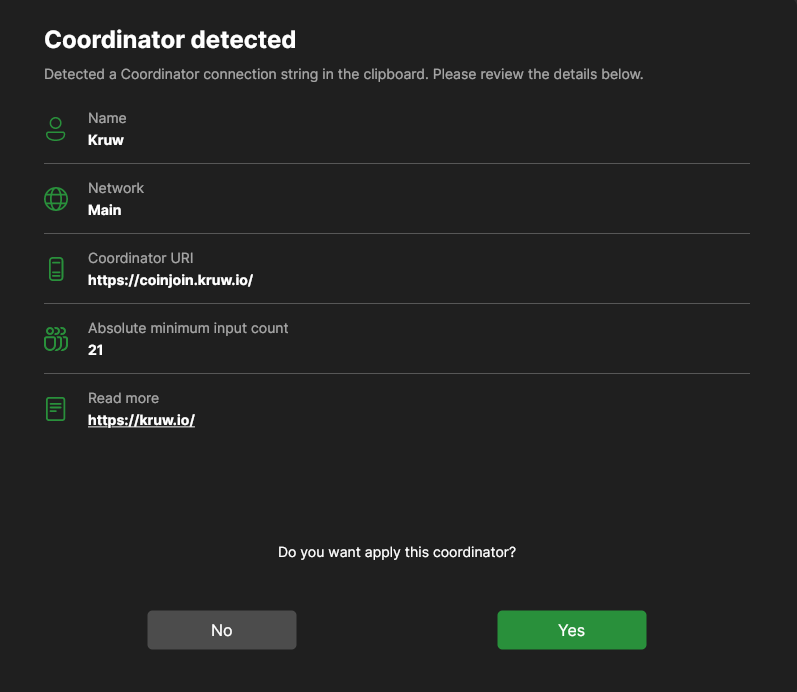
Copy this string and the coordinator info box will pop up in Wasabi automatically:
name=Kruw&network=main&coordinatorUri=https://coinjoin.kruw.io/&readMore=https://kruw.io/&absoluteMinInputCount=21
How to manually connect
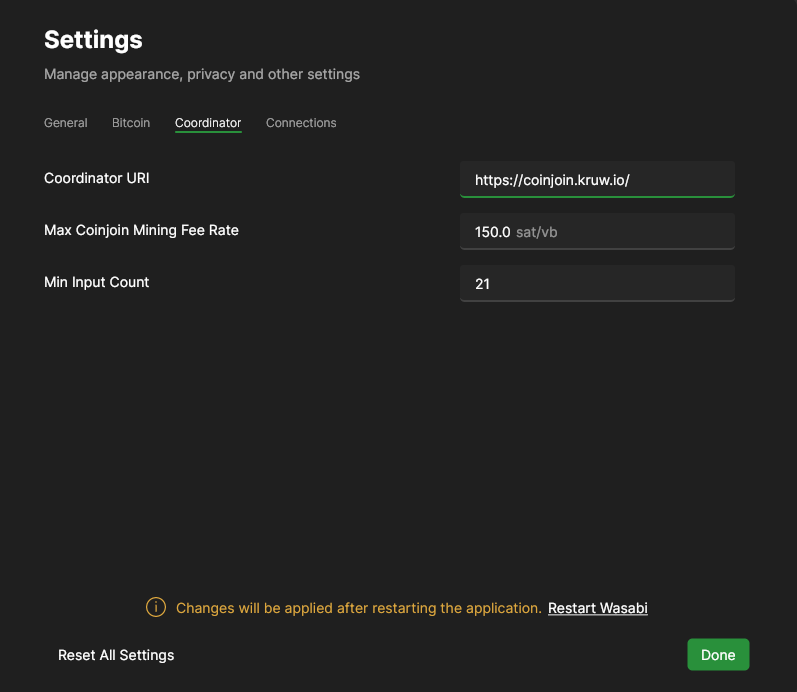
Go to the Coordinator Settings, then paste https://coinjoin.kruw.io/ and click the "Restart Wasabi" text:
Frequently Asked Questions
For more detailed information, check the documentation at https://docs.wasabiwallet.io/
I tried to recover my wallet, why is the transaction history blank?
When recovering your wallet, you have to use the exact same passphrase that you chose when you created the original wallet. The passphrase acts as the final word of your recovery seed, write it down and do not forget it.
The timer in the countdown box reset, why didn't my coinjoin complete?
All of the participants in a coinjoin have to sign it in order for the transaction to be valid. When someone enters a coinjoin and disconnects before signing it, it will cause the timer to restart for the other participants. Non-signers are temporarily blocked from participating in the next round, so honest users with stable Internet connections will eventually build a successful coinjoin.
Are there limits on coinjoining?
A UTXO must have a value of at least 0.00010000 BTC to coinjoin. If you are stuck at 99% privacy progress, check the "Wallet Coins" menu to see if you have a UTXO with a value that is too low to participate.